
Epson 3210 EcoTank All-in-One Ink Tank Printer in Bangalore

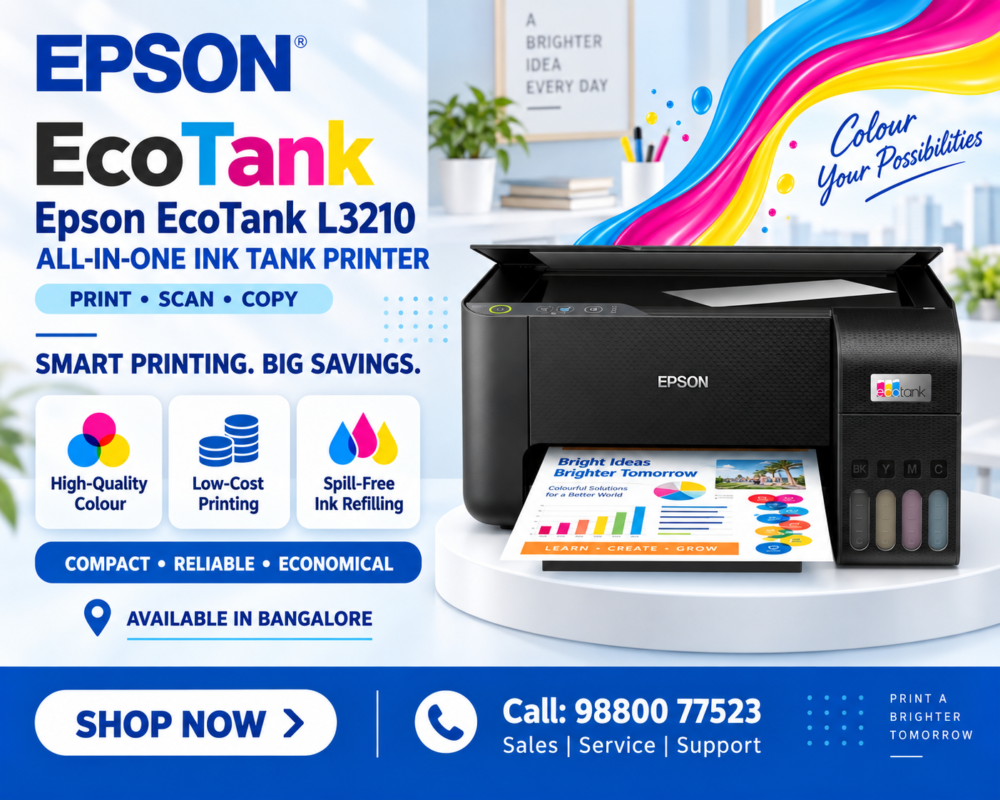
The Epson EcoTank L3210 All-in-One Ink Tank Printer is a compact and economical printing solution designed for homes, students, small offices, shops and businesses that need regular colour and black-and-white printing. Combining print, scan and copy functions in one device, the Epson L3210 helps users manage everyday document requirements without needing separate machines.
One of the biggest advantages of the Epson EcoTank series is its refillable ink tank system. Instead of depending on conventional cartridges, users can refill the integrated tanks using high-yield Epson ink bottles. This makes the printer particularly attractive for users who print regularly and want to control ongoing printing expenses.
The Epson L3210 also offers high-resolution colour output, borderless photo printing up to 4R, a flatbed scanner and a compact integrated ink tank design.
For customers looking for an affordable and practical colour printer for documents, school projects, assignments, photographs and everyday business requirements, the Epson EcoTank L3210 All-in-One Ink Tank Printer is worth considering.
Epson EcoTank L3210 All-in-One Ink Tank Printer – Product Overview
The Epson EcoTank L3210 All-in-One Ink Tank Printer combines three essential functions:
- Scan
- Copy
This all-in-one design makes it suitable for environments where users regularly need to print documents, scan records or make copies.
The integrated ink tank system is positioned at the front of the machine, allowing users to check ink levels conveniently. Epson’s bottle design is also intended to make refilling easier while reducing the possibility of filling the wrong colour into a tank.
Unlike models such as the Epson L3250 that add wireless connectivity, the L3210 is primarily designed as a USB-connected printer. This makes it a straightforward option for customers who intend to connect the printer directly to a desktop or laptop.
Epson EcoTank L3210 All-in-One Ink Tank Printer – Key Specifications
Before purchasing an Epson EcoTank L3210 All-in-One Ink Tank Printer, it is important to compare its capabilities with your expected printing volume and requirements.
| Specification | Epson EcoTank L3210 Details |
|---|---|
| Brand | Epson |
| Model | EcoTank L3210 |
| Printer Type | A4 Colour Ink Tank Printer |
| Functions | Print, Scan and Copy |
| Printing Technology | On-demand Inkjet, Piezoelectric |
| Ink Colours | Black, Cyan, Magenta and Yellow |
| Maximum Print Resolution | 5,760 × 1,440 dpi |
| ISO Print Speed | Up to 10 ipm black and 5 ipm colour |
| Draft Print Speed | Up to 33 ppm black and 15 ppm colour |
| First Page Out Time | Approximately 10 seconds black and 16 seconds colour |
| Borderless Printing | Up to 4R |
| Scanner Type | Flatbed Colour Image Scanner |
| Scanner Sensor | CIS |
| Optical Scan Resolution | 1,200 × 2,400 dpi |
| Maximum Scan Area | 216 × 297 mm |
| Automatic Duplex Printing | No—manual duplex supported |
| Connectivity | USB |
| Wireless Connectivity | No |
| Compatible Ink Series | Epson 003 |
| Black Ink Yield | Up to approximately 4,500 pages |
| Colour Ink Yield | Up to approximately 7,500 composite pages |
| Recommended Users | Homes, students and small offices |
Epson EcoTank L3210 All-in-One Ink Tank Printer – Print, Scan and Copy Functions
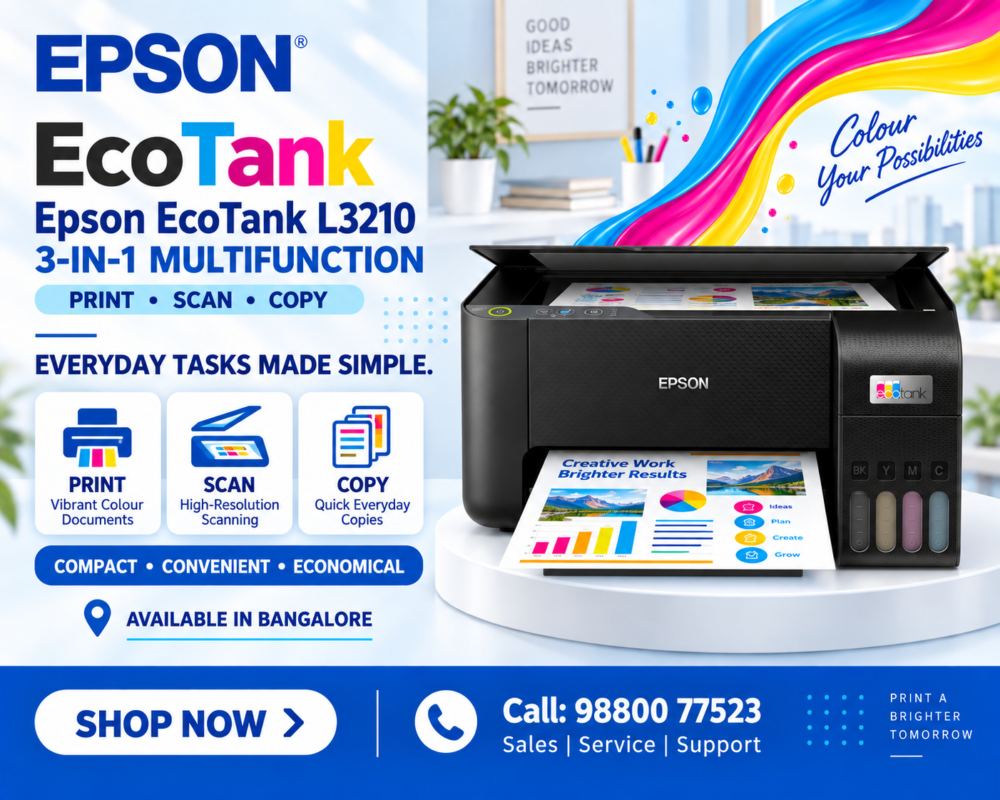
The multifunction capability of the Epson EcoTank L3210 All-in-One Ink Tank Printer is one of its biggest benefits.
Printing
Users can print black-and-white and full-colour documents including reports, invoices, assignments, projects and photographs.
Scanning
The built-in flatbed scanner can digitise documents, certificates, photographs and other paperwork.
Copying
Documents can be copied directly using the printer without needing a separate photocopier for basic A4 copying.
Having these three functions in one compact device can save both desk space and the cost of maintaining multiple machines.
Epson EcoTank L3210 All-in-One Ink Tank Printer – Printing Speed
The Epson EcoTank L3210 All-in-One Ink Tank Printer is designed to handle everyday home and small-office printing.
Its ISO A4 simplex printing performance is approximately:
Black: Up to 10 ipm
Colour: Up to 5 ipm
In faster draft mode, rated speeds can reach approximately:
Black: Up to 33 ppm
Colour: Up to 15 ppm
Actual speed depends on document complexity, print settings, paper type and connected computer.
The printer can be useful for printing:
- School assignments
- College projects
- Business reports
- Invoices
- Quotations
- Notes
- Study materials
- Forms
- Colour charts
- Presentations
- Photos
- Everyday office documents
Epson EcoTank L3210 All-in-One Ink Tank Printer – High-Resolution Colour Printing
Print quality is an important consideration when selecting an Epson EcoTank L3210 All-in-One Ink Tank Printer.
The L3210 supports a maximum print resolution of up to 5760 × 1440 dpi.
This high resolution can help produce clear text and detailed colour graphics for everyday printing.
It is particularly useful when documents contain:
- Colour images
- Charts
- Graphs
- School projects
- Business presentations
- Logos
- Photographs
- Illustrations
- Marketing information
Users who need both document and occasional photo printing can benefit from the flexibility of the colour EcoTank system.
Epson EcoTank L3210 All-in-One Ink Tank Printer – EcoTank Ink System
A major feature of the Epson EcoTank L3210 All-in-One Ink Tank Printer is its integrated refillable ink tank.
The system uses separate tanks for:
- Black
- Cyan
- Magenta
- Yellow
Instead of replacing an entire cartridge when ink runs out, users can refill the required colour using the appropriate ink bottle.
The integrated front-facing design also makes it easier to visually monitor remaining ink.
This can be particularly useful for homes, students and small businesses that print regularly and want to avoid frequent cartridge replacements.
Epson EcoTank L3210 All-in-One Ink Tank Printer – High-Yield Ink Bottles
The Epson EcoTank L3210 All-in-One Ink Tank Printer is designed around high-yield refill bottles.
Epson’s applicable replacement ink yield figures for this L-series group are approximately:
Black Ink: Up to 4,500 pages
Colour Ink: Up to 7,500 pages composite yield
Actual page yield will vary depending on printed content, print settings, maintenance cycles, temperature, humidity and usage patterns.
Part of the ink supplied with a new printer is also used during initial printer setup, so initial yields may differ from replacement-bottle yields.
Epson EcoTank L3210 All-in-One Ink Tank Printer – Low-Cost Everyday Printing
The refillable ink system makes the Epson EcoTank L3210 All-in-One Ink Tank Printer particularly attractive to cost-conscious users.
Epson currently lists applicable L-series printing-cost calculations of approximately 9 paise for black and 33 paise for colour, based on Epson’s stated bottle pricing and quoted page yields.
Actual operating cost can vary according to printing habits and current consumable prices.
For users printing hundreds of pages over time, an ink tank printer can be more convenient than frequently replacing low-capacity cartridges.
This makes the L3210 useful for:
- Students
- Teachers
- Tuition centres
- Home offices
- Small businesses
- Retail stores
- Billing requirements
- Everyday document printing
Epson EcoTank L3210 All-in-One Ink Tank Printer – Borderless Photo Printing
The Epson EcoTank L3210 All-in-One Ink Tank Printer is not limited to normal office documents.
It supports borderless photo printing up to 4R / 4 × 6 inches.
This makes it possible to produce small photographs without the white border normally found around a standard document print.
Users can print:
- Family photographs
- School project photos
- ID-related reference photos
- Creative designs
- Small promotional images
- Personal photo collections
Users should select suitable Epson-supported photo media and appropriate printer settings for the desired output.
Epson EcoTank L3210 All-in-One Ink Tank Printer – Flatbed Colour Scanner
The built-in scanner adds considerable value to the Epson EcoTank L3210 All-in-One Ink Tank Printer.
The L3210 uses a flatbed colour image scanner with a CIS sensor and optical resolution of approximately 600 × 1200 dpi.
It can be used to scan:
- Certificates
- ID documents
- Photographs
- Invoices
- Receipts
- Assignments
- Business documents
- Customer records
- Educational documents
A flatbed design is especially useful for documents that cannot conveniently pass through an automatic document feeder.
Epson EcoTank L3210 All-in-One Ink Tank Printer – Compact Design
The Epson EcoTank L3210 All-in-One Ink Tank Printer features an integrated tank design that helps keep the machine compact.
This makes the printer suitable for spaces such as:
- Home study tables
- Small offices
- Reception desks
- Retail counters
- School offices
- Tuition centres
- Small business workstations
The ink tanks are incorporated into the main printer body instead of using an external tank assembly.
For customers with limited desk space, this compact design is an important practical advantage.
Epson EcoTank L3210 All-in-One Ink Tank Printer – Heat-Free Technology
The Epson EcoTank L3210 All-in-One Ink Tank Printer uses Epson’s Heat-Free printing technology.
Epson’s inkjet system does not require heat during the ink-ejection process. This contributes to a relatively simple printing process and is part of Epson’s approach to lower-energy inkjet printing.
For homes and small businesses, power consumption can be another factor to consider when selecting equipment that may be used regularly.
Epson EcoTank L3210 All-in-One Ink Tank Printer – USB Connectivity
The Epson EcoTank L3210 All-in-One Ink Tank Printer is intended primarily for direct USB connection.
A user can connect the printer to a compatible desktop or laptop and install the required Epson printer and scanner software.
It is important to understand that the L3210 is not the Wi-Fi-focused model in this family.
Customers who require wireless printing should consider an Epson model such as the EcoTank L3250 or another current Wi-Fi-enabled EcoTank printer.
For users who only need one computer connected directly to the machine, the L3210’s simpler USB configuration may be sufficient.
Epson EcoTank L3210 All-in-One Ink Tank Printer – Ideal for Small Offices
The Epson EcoTank L3210 All-in-One Ink Tank Printer can also be considered by smaller businesses with straightforward A4 printing requirements.
Potential users include:
- Small offices
- Retail shops
- Clinics
- Tuition centres
- Freelancers
- Consultants
- Home businesses
- Accounting offices
- Local stores
- Service centres
Businesses that require Wi-Fi, Ethernet, automatic duplex printing, fax or an automatic document feeder should compare the L3210 against more advanced EcoTank models before purchasing.
Epson EcoTank L3210 All-in-One Ink Tank Printer – Advantages
The Epson EcoTank L3210 All-in-One Ink Tank Printer provides several useful benefits:
- Print, scan and copy in one device
- Refillable EcoTank ink system
- High-yield replacement ink bottles
- Colour and monochrome printing
- Up to 5760 × 1440 dpi print resolution
- Borderless printing up to 4R
- Flatbed colour scanning
- Compact integrated tank design
- Straightforward USB connection
- Suitable for home, education and small-office printing
These features make it a practical choice for users who prioritise straightforward operation and economical everyday colour printing.
Epson EcoTank L3210 All-in-One Ink Tank Printer – Limitations to Consider
Before buying the Epson EcoTank L3210 All-in-One Ink Tank Printer, it is also important to understand what the machine does not provide.
The L3210 does not include:
- Built-in Wi-Fi
- Ethernet network connectivity
- Automatic document feeder
- Automatic duplex printing
- Fax functionality
- A3 printing
These limitations do not necessarily make it a poor choice. They simply mean that the L3210 is best suited to users who primarily need straightforward A4 print, scan and copy functions.
Epson EcoTank L3210 All-in-One Ink Tank Printer – Price in Bangalore
The Epson EcoTank L3210 All-in-One Ink Tank Printer price in Bangalore can change depending on stock availability, current promotions, taxes and seller pricing.
When comparing offers, customers should check:
- Final printer price
- GST invoice
- Included ink bottles
- Warranty
- Delivery
- Installation guidance
- Availability of replacement inks
- After-sales support
Instead of depending on an old online price, request the current quotation before purchasing.

Epson EcoTank L3210 All-in-One Ink Tank Printer – Why Buy from DigitechShop?
Customers looking for an Epson EcoTank L3210 All-in-One Ink Tank Printer can check DigitechShop for printer availability and related printing supplies.
Customers can explore:
- Epson EcoTank printers
- Ink tank printers
- All-in-one printers
- Epson ink bottles
- Printer consumables
- Office printing products
- Printer accessories
For business printing requirements, installation, maintenance and other printer solutions in Bangalore, customers can also contact Digitech Imaging Solutions.
Epson EcoTank L3210 All-in-One Ink Tank Printer – Frequently Asked Questions
Epson EcoTank L3210 All-in-One Ink Tank Printer – Is it an all-in-one printer?
Yes. The Epson L3210 combines printing, scanning and copying functions.
Epson EcoTank L3210 All-in-One Ink Tank Printer – Does it print in colour?
Yes. It supports both black-and-white and colour printing.
Epson EcoTank L3210 All-in-One Ink Tank Printer – Does it have Wi-Fi?
No. The L3210 is primarily a USB-connected model. Customers requiring wireless printing should consider a compatible Wi-Fi EcoTank model.
Epson EcoTank L3210 All-in-One Ink Tank Printer – Does it support automatic duplex printing?
No. Automatic two-sided printing is not included.
Epson EcoTank L3210 All-in-One Ink Tank Printer – Can it print photos?
Yes. It supports colour photo printing and borderless printing up to 4R.
Epson EcoTank L3210 All-in-One Ink Tank Printer – Is it good for students?
Its print, scan and copy functions, refillable ink system and colour capabilities make it particularly useful for assignments, projects and study materials.
Epson EcoTank L3210 All-in-One Ink Tank Printer – What is the maximum print resolution?
The printer supports a maximum resolution of up to 5760 × 1440 dpi.
Epson EcoTank L3210 All-in-One Ink Tank Printer – Which ink does it use?
The L3210 uses separate Epson refill inks for black, cyan, magenta and yellow. Always confirm the applicable genuine ink code for your region before purchasing replacement ink.
Epson EcoTank L3210 All-in-One Ink Tank Printer – Final Verdict
The Epson EcoTank L3210 All-in-One Ink Tank Printer is a practical choice for customers who need affordable A4 colour printing with scanning and copying capabilities.
Its combination of an integrated refillable ink tank, high-yield inks, up to 5760 × 1440 dpi resolution, approximately 10 ipm black and 5 ipm colour ISO printing, flatbed colour scanning and 4R borderless photo printing makes it particularly suitable for students, homes, home offices and smaller businesses.
The L3210 is best suited to customers who are comfortable with USB connectivity and do not require Wi-Fi, an ADF or automatic duplex printing.
For customers searching for an Epson EcoTank L3210 in Bangalore, check the latest price, stock availability, ink supplies and support options before purchasing.
Call Now: 98800 77523
The Epson EcoTank L3210 All-in-One Ink Tank Printer in Bangalore is a compact and economical colour printer designed for home users, students, small offices, shops, and businesses that need everyday printing, scanning, and copying from a single device.
Looking for the Epson EcoTank L3210 in Bangalore
contact Digitech Imaging Solutions for information about current price, stock availability, installation assistance, consumables, and printer support.