
Blog, Epson Ecotank L6370, Epson Printers Dealers In Bangalore, Ink Tank Printers, Printers

Epson EcoTank L6370 A4 Wi-Fi Duplex All-in-One Ink Tank Printer in Bangalore

Epson EcoTank L6370 in Bangalore

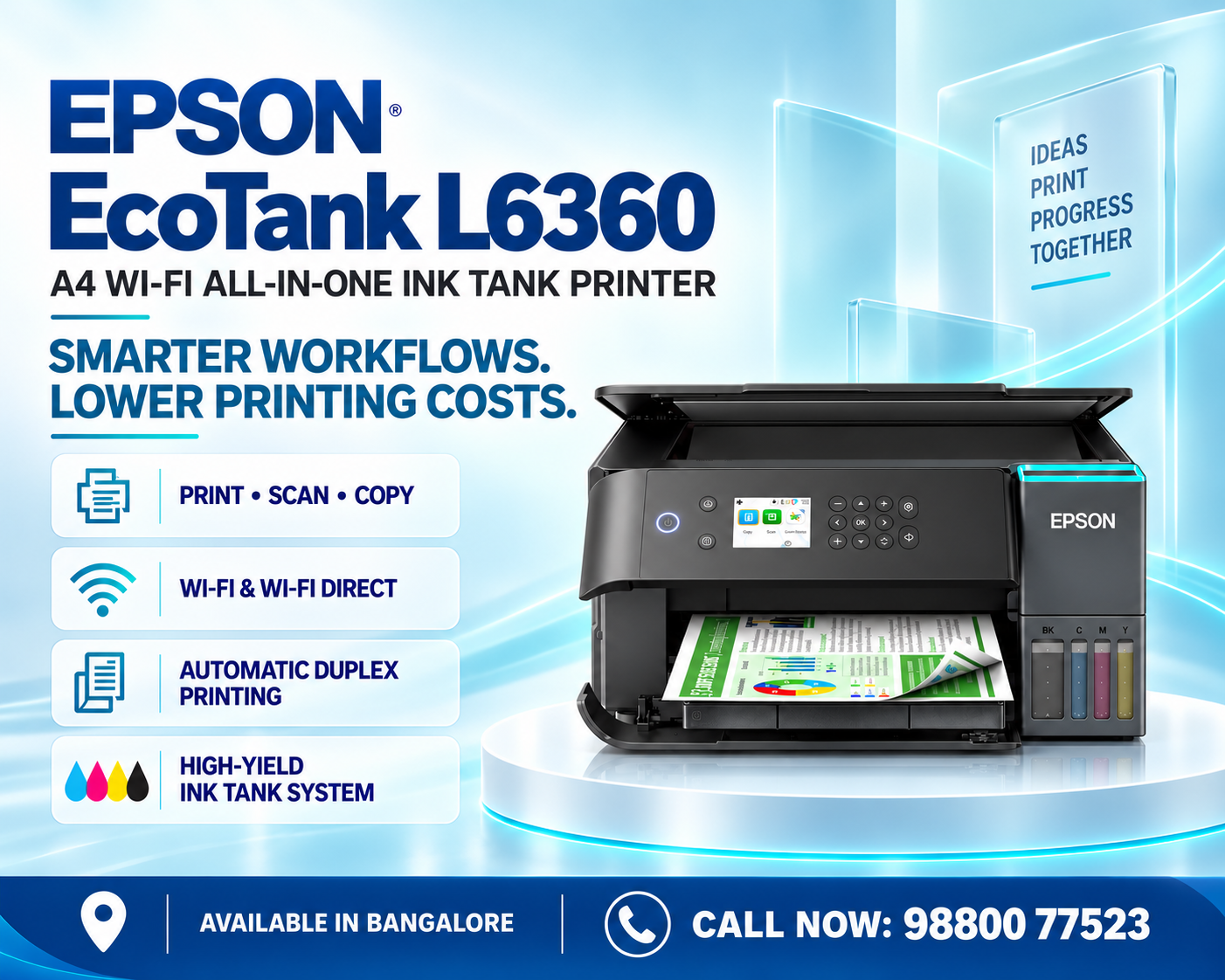
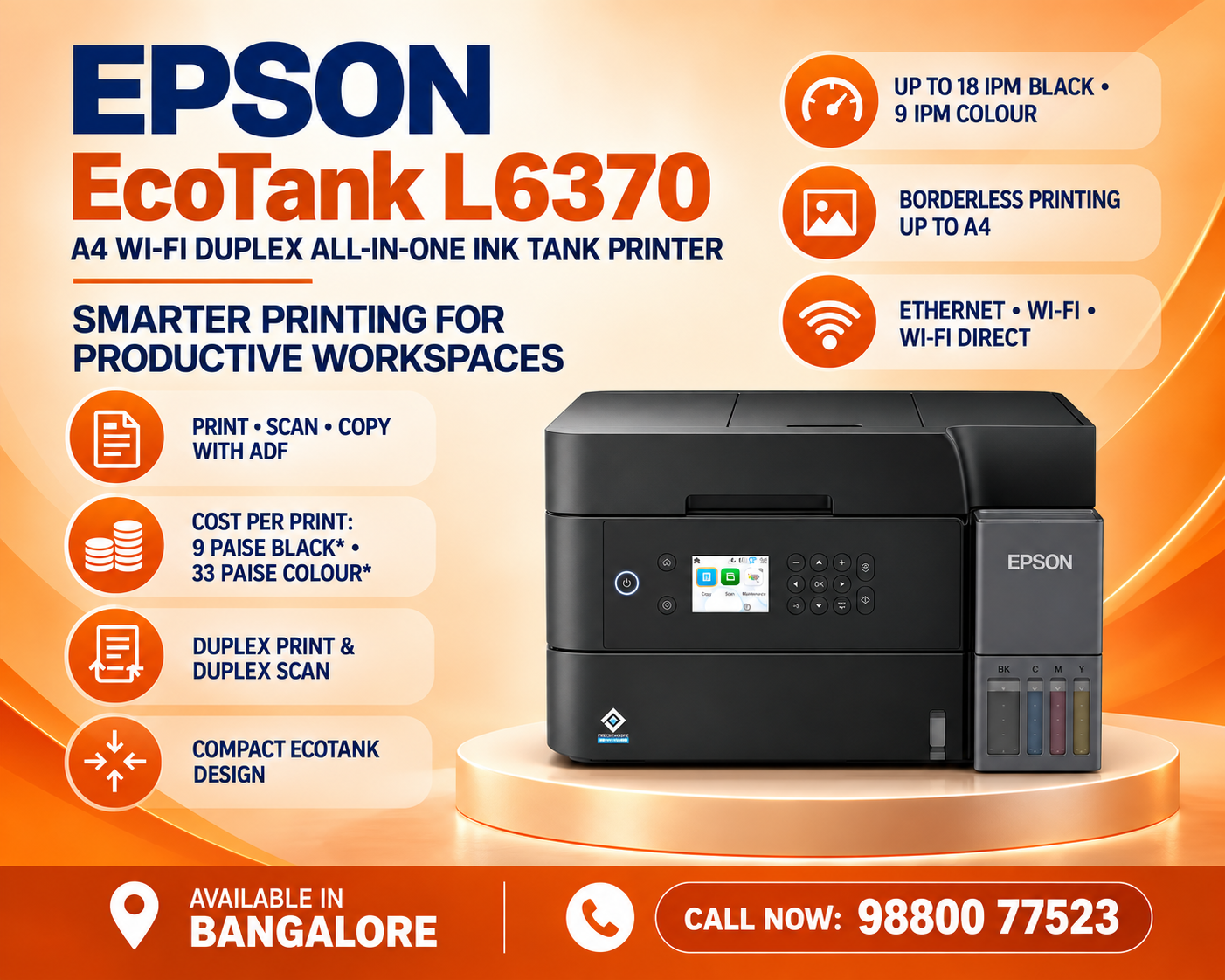
The Epson EcoTank L6370 in Bangalore is an A4 Wi-Fi duplex all-in-one ink tank printer designed for homes, home offices, professionals and businesses that need efficient everyday document printing. Combining printing, scanning and copying in one compact machine, the L6370 is built for users who want productivity together with the convenience of refillable ink tanks.

For a busy office, printer selection is not simply about print quality. Running costs, paper usage, connectivity, scanning convenience and ease of operation can all affect day-to-day productivity. The Epson L6370 addresses these requirements with an EcoTank ink system, automatic duplex printing and wireless connectivity.

Its multifunction design makes it useful for producing invoices, quotations, reports, presentations, educational material, business correspondence and other everyday documents.

Customers searching for an Epson EcoTank L6370 in Bangalore should consider not only the initial printer price but also ink availability, printing volume, connectivity requirements and after-sales support.

All-in-One Printing for Everyday Business Work

One of the main advantages of the L6370 is its multifunction design.

A business may need to print an invoice in the morning, scan a signed document in the afternoon and make a copy of an important form later in the day. Having these functions available from one machine simplifies this workflow.

The printer can be useful for documents such as invoices, quotations, reports, letters, educational material, forms, presentations and general office paperwork.

Home users can similarly use it for school projects, assignments, personal documents and colour printing.

This versatility makes the model relevant to users who need more than a basic print-only machine.

Automatic Duplex Printing

Automatic duplex is an important productivity feature of the Epson L6370 printer.

Duplex printing allows supported documents to be printed on both sides of the paper automatically.

Consider a 50-page internal report. Printing it single-sided can require approximately 50 sheets, while double-sided output can substantially reduce the number of sheets required, depending on document layout.

This can be particularly useful when producing training documents, reports, proposals, manuals, educational notes and other multi-page material.

Automatic duplex also removes the inconvenience of manually turning paper over and reinserting it for the second side.

Along with standard Wi-Fi, the printer provides Wi-Fi Direct functionality.

Wi-Fi Direct is useful because compatible devices can communicate directly with the printer without requiring a conventional wireless router for that particular connection.

This can be convenient for temporary workspaces, visitors or situations where access to the normal wireless network is unavailable.

For users increasingly working from laptops and mobile devices, having multiple wireless connection options can make everyday printing more convenient.

Mobile Printing for Modern Workflows

Mobile devices now play an important role in everyday business communication.

Invoices may arrive by email, documents may be shared through messaging applications, and PDFs may be reviewed from smartphones or tablets.

A printer with supported mobile functionality can reduce the need to transfer every file manually to a desktop computer before printing.

For small businesses and home offices, this can create a more flexible workflow.

When setting up mobile printing, users should follow Epson’s current application and compatibility guidance for their particular device and operating system.

Scanning Documents with the Epson L6370

Scanning is another important component of an all-in-one printer.

Businesses increasingly need digital versions of physical documents for email, archiving and internal record keeping.

A scanner can be useful for digitising invoices, certificates, signed agreements, identity documents, forms, receipts and business correspondence.

For home users, scanning can also help preserve personal paperwork or convert educational material into digital files.

The L6370 therefore provides value beyond printing alone.

Copying for Everyday Office Requirements

The copying function is useful when users simply need another physical copy of an existing document.

Rather than scanning the original to a computer and then printing it again, an all-in-one printer can simplify the copying process.

This is useful for invoices, forms, certificates, office notices, educational documents and other everyday paperwork.

For small businesses that do not require a large A3 photocopier, an A4 multifunction EcoTank printer can provide a compact alternative for routine copy requirements.

Colour Printing for Business Documents

Add Your Heading Text Here

Lorem ipsum dolor sit amet, consectetur adipiscing elit. Ut elit tellus, luctus nec ullamcorper mattis, pulvinar dapibus leo.

Suitable for Home Offices

The growth of home and hybrid working has increased demand for compact multifunction printers.

A home-office user may need to print contracts, scan signed paperwork, make document copies and produce colour presentations from the same workspace.

The Epson EcoTank L6370 in Bangalore can be considered for this type of environment because it combines these functions with wireless connectivity and duplex printing.

A compact multifunction printer can also help users avoid dedicating space to separate printers and scanners.

Suitable for Small and Medium Businesses

Small and medium businesses often need to balance productivity with operating costs.

Typical daily requirements may include customer invoices, purchase orders, reports, quotations, forms, presentations and internal documents.

For these environments, the L6370’s refillable ink system can be useful when print volumes are regular.

Automatic duplex printing can help manage paper usage, while wireless functionality provides greater flexibility for supported office devices.

Before buying, businesses should still estimate their expected monthly printing volume and compare it with their actual workflow.

Suitable for Students and Educational Use

Students frequently need to print assignments, notes, projects, reference material and colour diagrams.

Scanning may also be required when submitting handwritten work or digitising supporting documents.

For households with multiple students, a refillable ink tank printer can be more convenient than a low-volume cartridge printer when printing requirements are frequent.

Wireless connectivity also provides flexibility when schoolwork is prepared across laptops and compatible mobile devices.

Paper-Saving Benefits of Duplex Printing

Paper is an ongoing cost in any printing environment.

Automatic two-sided printing provides a simple way to reduce unnecessary paper usage for suitable documents.

It can be particularly useful for internal reports, draft documents, manuals, educational notes and reference material.

This does not mean every document should be printed double-sided. Certificates, customer-facing material and certain official documents may still require single-sided output.

The benefit is that users have the choice without manually turning sheets over.

Compact Solution for Everyday Productivity

Office space is valuable, especially in small businesses and home offices.

A multifunction printer combines several everyday document functions into one device, reducing the need for separate equipment.

The L6370’s EcoTank design also integrates the refillable ink system into the printer, creating a cleaner overall setup than older external-tank arrangements.

Before installation, users should still leave sufficient space for paper loading, output handling, scanning and routine maintenance.

Epson L6370 vs a Basic Ink Tank Printer

A lower-cost basic ink tank printer may be sufficient for occasional home printing.

The L6370 becomes more relevant when the user needs additional productivity features such as automatic duplex printing, scanning, copying and wireless connectivity.

Therefore, purchasing decisions should not be based only on initial price.

A customer who prints only a few pages occasionally may not need all the L6370’s features.

A business producing regular documents and frequently using scanning, copying and duplex printing can benefit more from its broader functionality.

Who Should Consider This Printer?

The L6370 can be considered by home-office professionals, small businesses, educational users, consultants, accountants, retail offices and other organisations that regularly produce A4 documents.

It is particularly relevant when the user needs a combination of:

Print + Scan + Copy + Wi-Fi + Duplex + Refillable Ink

Users should also consider the type and volume of documents they produce.

If the requirement is primarily high-volume A3 copying, a larger business multifunction machine may be more suitable. If professional photo printing is the main goal, a dedicated photo printer such as an Epson six-colour model may make more sense.

Choosing based on actual workflow is more useful than simply selecting the printer with the longest feature list.

Important Things to Check Before Buying

Before purchasing an Epson L6370, confirm your paper-size requirements, printing volume, scanning requirements, connectivity needs and available workspace.

Also check current warranty conditions, included ink configuration and replacement-ink availability.

If your office frequently handles large stacks of documents, pay particular attention to document-feeding and scanning requirements when comparing models.

Businesses should also consider after-sales service and consumable availability because printer ownership continues well beyond the initial purchase.

Epson EcoTank L6370 Price in Bangalore

The Epson EcoTank L6370 price in Bangalore may change according to stock availability, GST, promotions and seller pricing.

For this reason, avoid placing a permanent fixed price inside an evergreen blog unless you regularly update it.

A better conversion strategy is to use a Check Latest Price button linked to the current product page.

Customers should compare not only the purchase price but also replacement ink availability, warranty, delivery and after-sales support.

Frequently Asked Questions About Epson L6370

Is Epson L6370 an all-in-one printer?

Yes. The L6370 is an all-in-one EcoTank model designed to provide printing, scanning and copying functionality.

Does the Epson L6370 have automatic duplex printing?

Yes. Duplex capability allows supported documents to be printed automatically on both sides of the paper.

Does Epson L6370 support Wi-Fi?

Yes. The model includes Wi-Fi connectivity for supported wireless printing.

Does it support Wi-Fi Direct?

Yes. Wi-Fi Direct provides a direct wireless connection option for compatible devices.

Which ink is used in Epson L6370?

The L6370 uses Epson 001-series Black, Cyan, Magenta and Yellow inks. Epson India currently lists all four colours as compatible with the model.

Is the L6370 suitable for office use?

Its combination of multifunction capability, duplex printing, wireless connectivity and refillable inks makes it relevant to home offices and businesses with regular A4 document requirements.

Is the L6370 suitable for students?

It can be useful for assignments, projects, notes, colour documents, scanning and copying, particularly in households with regular printing requirements.

Where can I buy Epson L6370 in Bangalore?

Customers can check current product availability and pricing from printer retailers in Bengaluru. For your blog, direct visitors to your current DigitechShop product page and contact page.

Epson EcoTank L6370 in Bangalore – Final Verdict

The Epson EcoTank L6370 A4 Wi-Fi Duplex All-in-One Ink Tank Printer in Bangalore is designed for users who want more than basic printing.

Print, scan and copy functionality allows one device to handle everyday document workflows, while automatic duplex printing adds convenience for multi-page documents. Wi-Fi and Wi-Fi Direct provide flexible connectivity, and Epson’s refillable EcoTank system is designed for users with recurring printing requirements.

The L6370 is particularly relevant for home offices, professionals, small businesses, students and organisations that regularly work with A4 documents.

Its value depends on your actual printing requirements. Customers who primarily need occasional print-only functionality may find a simpler model sufficient, while users who regularly need scanning, copying, wireless printing and automatic duplex can make greater use of the L6370’s feature set.

Call Now: 98800 77523

Looking for an Epson EcoTank L6370 Printer in Bangalore?

Choose the Epson EcoTank L6370 for fast, reliable and cost-effective printing. It features print, scan and copy functions, automatic duplex printing and scanning, ADF, Wi-Fi, Wi-Fi Direct and Ethernet connectivity—ideal for offices and businesses.

Leave a Reply

Your email address will not be published. Required fields are marked *