
Blog, Brother MFC-T930DW WiFi Ink Tank Printer Dealer in Rajajinagar, Brother Printer

Brother MFC-T930DW WiFi Ink Tank Printer Dealer in Rajajinagar – Digitech Imaging Solution

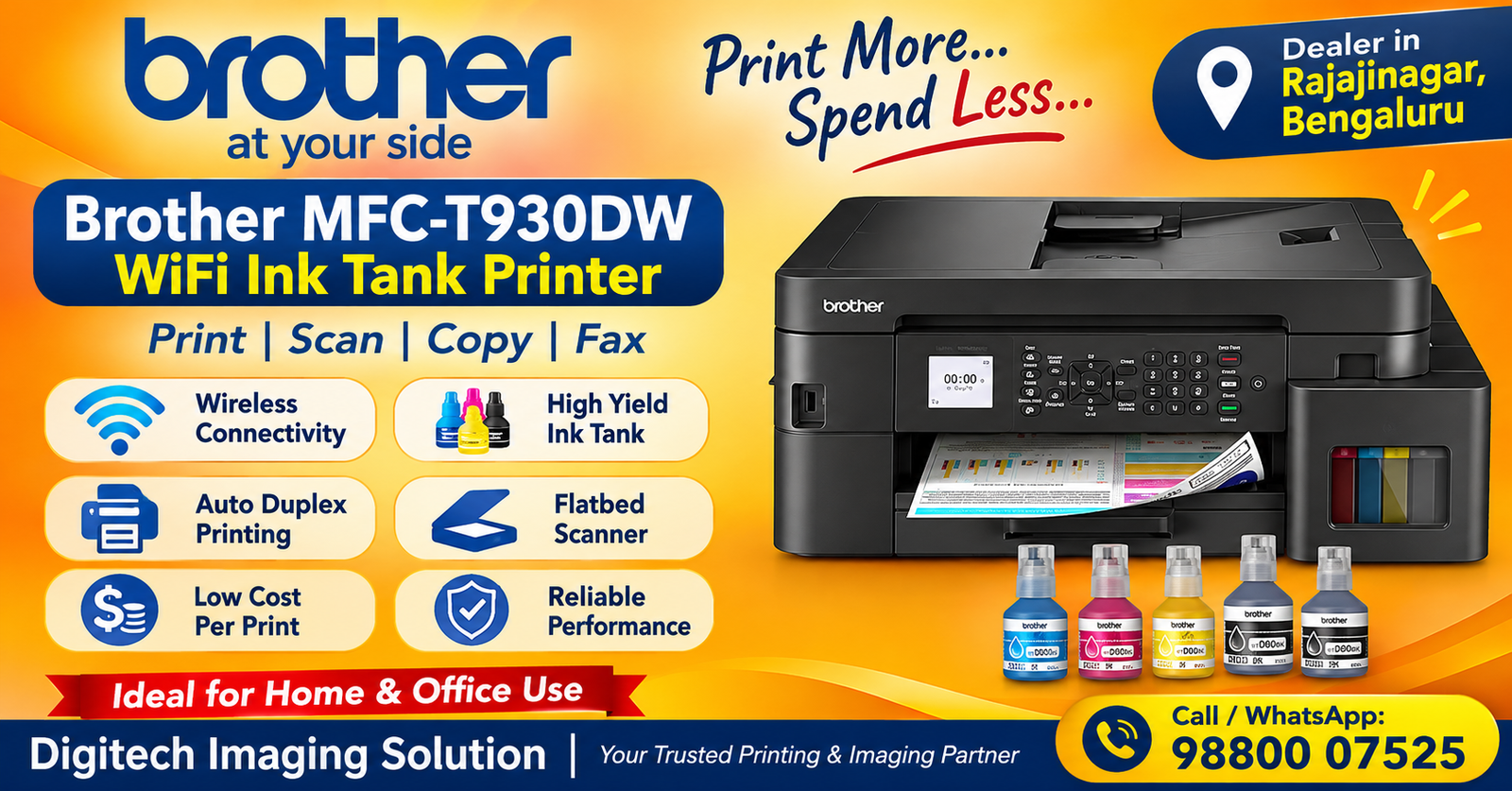
Brother MFC-T930DW WiFi Ink Tank All-in-One Printer Dealer in Rajajinagar, Bengaluru

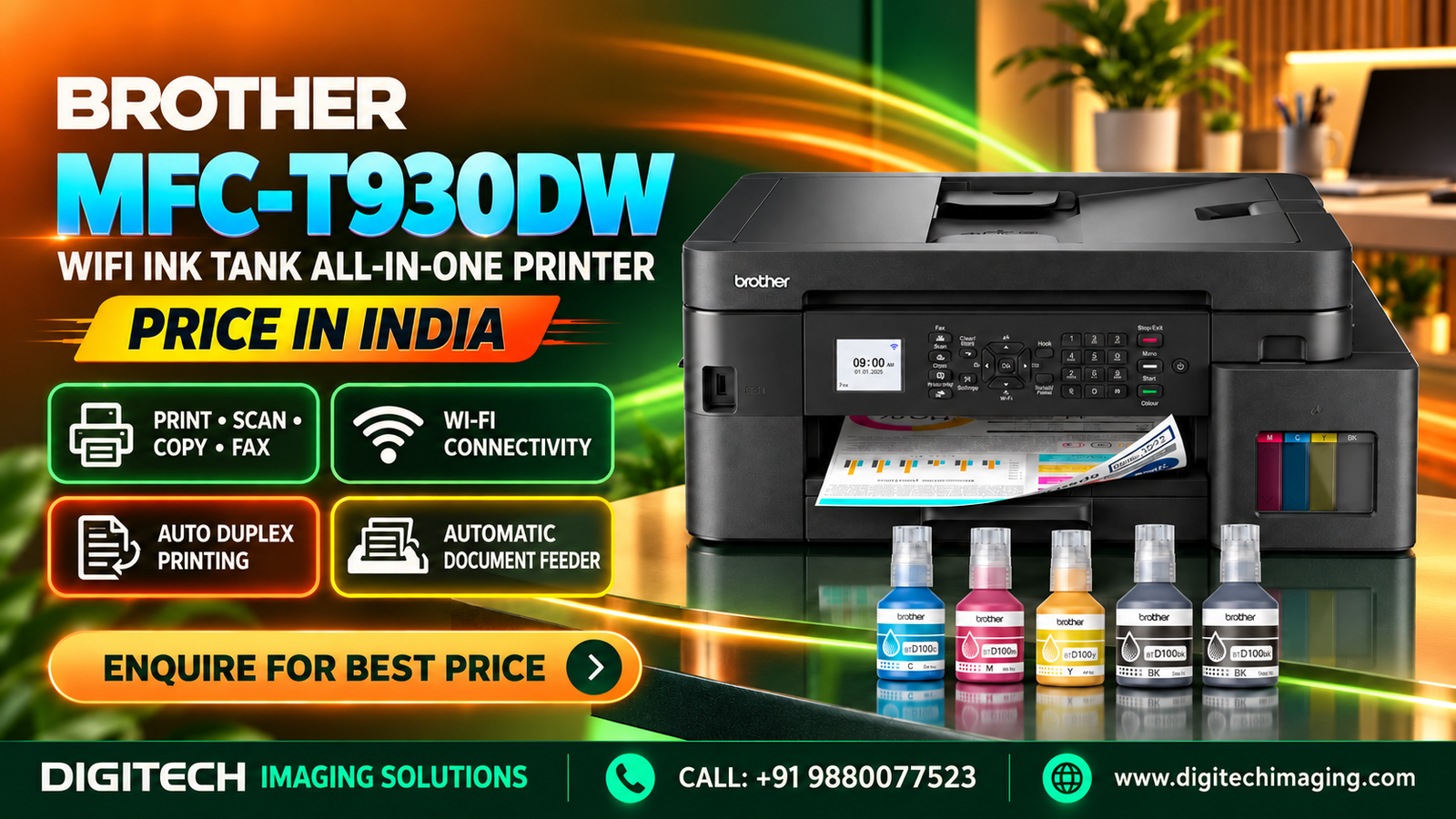
Are you searching for a reliable Brother MFC-T930DW WiFi Ink Tank Printer Dealer in Rajajinagar? If you need a multifunction printer for your home, office, school or business, the Brother MFC-T930DW is an excellent model to consider. This advanced WiFi ink tank printer combines printing, scanning, copying and faxing in one convenient device. It also offers automatic duplex printing, an automatic document feeder (ADF), wireless connectivity and high-yield ink bottles.

Digitech Imaging Solution helps customers explore printer and office automation solutions for their printing requirements. If you are planning to purchase the Brother MFC-T930DW in Rajajinagar, Bangalore, contact our team to enquire about the latest price, product availability and purchase options.

Whether you manage a small business, work from home, operate an office or need a printer for educational purposes, choosing the right multifunction printer can improve everyday productivity. In this article, we explain the product features, specifications, benefits, connectivity options and buying considerations of the Brother MFC-T930DW.

Why Choose a Brother MFC-T930DW WiFi Ink Tank Printer Dealer in Rajajinagar?

A reliable printer is an important part of modern offices and businesses. From invoices and reports to presentations and colour documents, printing requirements can vary throughout the day.

The Brother MFC-T930DW is designed to handle multiple office tasks with its four-in-one functionality. Instead of purchasing separate machines for printing, scanning, copying and faxing, users can manage these tasks using one device.

When you contact Digitech Imaging Solution about the Brother MFC-T930DW in Rajajinagar, you can enquire about:

  • Latest product price and availability

  • Printer features and technical specifications

  • Original Brother ink bottle requirements

  • Warranty information

  • Wireless printer connectivity

  • Installation and setup requirements

  • Suitable printer options for your business

Choosing a printer based on your actual workload can help you make a more suitable purchasing decision.

Brother MFC-T930DW WiFi Ink Tank Printer Dealer in Rajajinagar – Product Overview

The Brother MFC-T930DW is a colour ink tank multifunction printer designed for home and business environments. It supports four essential functions: printing, scanning, copying and faxing.

The printer offers A4 print speeds of up to 17 images per minute in monochrome and 16.5 images per minute in colour. It also supports automatic two-sided printing, helping users reduce manual page handling and paper consumption.

Its 20-sheet automatic document feeder makes scanning, copying and faxing multi-page documents more convenient. The dual-band WiFi, WiFi Direct, Ethernet and USB connectivity options provide flexibility for different office environments.

With a 1.8-inch colour LCD display and front-access ink tank system, the MFC-T930DW is designed to make everyday printing tasks easier.

Brother MFC-T930DW WiFi Ink Tank Printer Dealer in Rajajinagar – Key Features

Four-in-One Multifunction Printer

The Brother MFC-T930DW combines four useful functions in one machine:

  • Print

  • Scan

  • Copy

  • Fax

This makes it useful for offices and businesses that regularly handle different types of documents.

 High-Speed Colour and Black Printing

The printer delivers A4 print speeds of up to 17 ipm for black-and-white documents and 16.5 ipm for colour documents under the specified testing conditions.

It is suitable for printing reports, invoices, business documents, presentations and everyday office materials.

Automatic Duplex Printing

Automatic duplex printing allows users to print on both sides of compatible paper without manually turning each sheet.

Benefits include:

  • Reduced paper usage

  • Convenient two-sided printing

  • Professional-looking reports

  • Less manual paper handling

Dual-Band WiFi Connectivity

The printer supports 2.4 GHz and 5 GHz WiFi connectivity. This gives users flexibility when connecting the printer to a compatible wireless network.

WiFi Direct is also supported, allowing compatible devices to connect without relying on a conventional wireless router.

Automatic Document Feeder

The built-in 20-sheet ADF is useful when scanning, copying or faxing multiple-page documents.

Instead of placing every sheet individually on the scanner glass, users can load compatible documents into the feeder and process them more conveniently.

High-Yield Ink Tank System

The Brother MFC-T930DW uses refillable ink tanks and individual colour ink bottles.

Brother specifies approximate yields of up to 15,000 pages for the supplied black ink bottles and up to 5,000 pages for each colour. Actual yields depend on document coverage, usage and printing conditions.

 1.8-Inch Colour LCD Display

The colour LCD display provides access to printer settings and functions. Users can manage everyday operations through the printer’s control panel.

Multiple Connectivity Options

The Brother MFC-T930DW supports:

  • Dual-band WiFi

  • WiFi Direct

  • Ethernet

  • High-Speed USB 2.0

These connectivity options make it suitable for different home and office network arrangements.

Brother MFC-T930DW WiFi Ink Tank Printer Dealer in Rajajinagar – Technical Specifications

SpecificationDetails
ModelBrother MFC-T930DW
Printer typeColour Ink Tank Multifunction Printer
FunctionsPrint, Scan, Copy, Fax
Print speed (Black)Up to 17 ipm
Print speed (Colour)Up to 16.5 ipm
Print resolutionUp to 1,200 × 6,000 dpi
Automatic duplexYes
Automatic document feeder20 sheets
Display1.8-inch Colour LCD
Paper inputUp to 230 sheets
ConnectivityWiFi, WiFi Direct, Ethernet, USB 2.0
Memory128 MB
Dimensions435 × 418 × 180 mm
WeightApprox. 9.7 kg
Ink bottlesBTD100BK, BTD100C, BTD100M, BTD100Y

Specifications are based on Brother India product information. Refer to the official product documentation for supported media sizes, operating systems and detailed technical requirements.

Brother MFC-T930DW WiFi Ink Tank Printer Dealer in Rajajinagar – Benefits for Offices and Businesses

For Corporate Offices

Corporate offices regularly print reports, presentations, invoices, forms and business documents. The MFC-T930DW offers colour printing, scanning, copying and faxing in one machine.

Its ADF and automatic duplex features can help simplify routine document handling.

For Small Businesses

Small businesses need printing solutions that can manage everyday administrative work. This multifunction printer can help with invoices, quotations, customer documents and colour business materials.

For Educational Institutions

Schools, colleges and training centres often print assignments, notes, worksheets, certificates and educational materials. Colour printing and scanning functions can support these activities.

For Home Offices

People working from home may need to print contracts, reports, forms and colour documents. Wireless connectivity makes it convenient to share the printer with compatible devices.

For Shops and Commercial Establishments

Retail stores, service centres and commercial businesses may use the printer for invoices, price lists, customer records and other documents.

Brother MFC-T930DW WiFi Ink Tank Printer Dealer in Rajajinagar – Ink Bottle Details

Ink selection is important when purchasing a refillable ink tank printer. The Brother MFC-T930DW uses the BTD100 series of ink bottles.

The supported ink bottles include:

  • BTD100BK: Black ink

  • BTD100C: Cyan ink

  • BTD100M: Magenta ink

  • BTD100Y: Yellow ink

Brother specifies an approximate yield of 7,500 pages for a standard replacement black bottle and 5,000 pages for each colour bottle, based on its stated testing methodology.

The supplied printer package includes two black bottles and one bottle each of cyan, magenta and yellow, with approximate combined yields of up to 15,000 black pages and 5,000 pages for each colour.

Actual yields can vary depending on the type of documents printed, image coverage and printer usage. Always use the correct original ink bottle model for your printer.

Brother MFC-T930DW WiFi Ink Tank Printer Dealer in Rajajinagar – Why Automatic Document Feeder Matters

The automatic document feeder is a helpful feature for offices that regularly handle multi-page paperwork.

The MFC-T930DW includes a 20-sheet ADF, allowing users to load multiple compatible sheets for scanning, copying or faxing.

It can help with:

  • Scanning multi-page office documents

  • Copying business reports

  • Sending fax documents

  • Reducing repeated manual handling

  • Improving document-processing convenience

For best results, load documents according to the instructions in the printer manual and avoid placing damaged or unsuitable sheets in the feeder.

Brother MFC-T930DW WiFi Ink Tank Printer Dealer in Rajajinagar – What to Check Before Buying

Before purchasing the Brother MFC-T930DW, consider the following points.

1. Daily printing requirements: Estimate your regular black-and-white and colour printing volume.

2. Multifunction requirements: Check whether you need all four functions: print, scan, copy and fax.

3. Wireless connectivity: Confirm that the printer’s WiFi and network options suit your office setup.

4. Automatic duplex printing: Consider whether two-sided printing will be useful for your regular documents.

5. Ink bottle costs: Check the price and availability of genuine Brother BTD100 ink bottles.

6. ADF requirements: Consider whether the 20-sheet document feeder is suitable for the number of documents you regularly process.

7. Warranty details: Confirm the applicable warranty terms and conditions before purchasing.

8. Physical space: Check the printer’s dimensions and weight to ensure that your workstation can accommodate it.

Brother MFC-T930DW WiFi Ink Tank Printer Dealer in Rajajinagar – Frequently Asked Questions

Where can I enquire about the Brother MFC-T930DW in Rajajinagar?

You can contact Digitech Imaging Solution to enquire about the Brother MFC-T930DW, its current price, product availability and purchase options.

Is the Brother MFC-T930DW an all-in-one printer?

Yes. It supports printing, scanning, copying and faxing.

Does the Brother MFC-T930DW support WiFi?

Yes. It supports dual-band WiFi at 2.4 GHz and 5 GHz, as well as WiFi Direct, Ethernet and USB connectivity.

Does the Brother MFC-T930DW support automatic duplex printing?

Yes. It supports automatic two-sided printing for compatible paper sizes.

Does the Brother MFC-T930DW have an ADF?

Yes. It includes a 20-sheet automatic document feeder for supported multi-page scanning, copying and faxing tasks.

Which ink bottles are compatible with the Brother MFC-T930DW?

The printer uses Brother BTD100BK black and BTD100C, BTD100M and BTD100Y colour ink bottles.

Is the Brother MFC-T930DW suitable for small businesses?

It can be suitable for small businesses that need colour printing, scanning, copying, faxing and wireless connectivity. Consider your monthly printing volume before buying.

Can I print from my mobile phone?

Yes. The printer is compatible with Brother Mobile Connect and supported mobile printing options. Check your device’s compatibility.

What is the print speed of the Brother MFC-T930DW?

Its rated A4 print speed is up to 17 images per minute in black and 16.5 images per minute in colour.

How can I check the Brother MFC-T930DW price in Rajajinagar?

Contact Digitech Imaging Solution to enquire about the latest selling price, availability and purchase details.

Call / WhatsApp: 98800 7523

Leave a Reply

Your email address will not be published. Required fields are marked *