
Kyocera MA4000x Printer in Bangalore: Features, Benefits, Price & Where to Buy

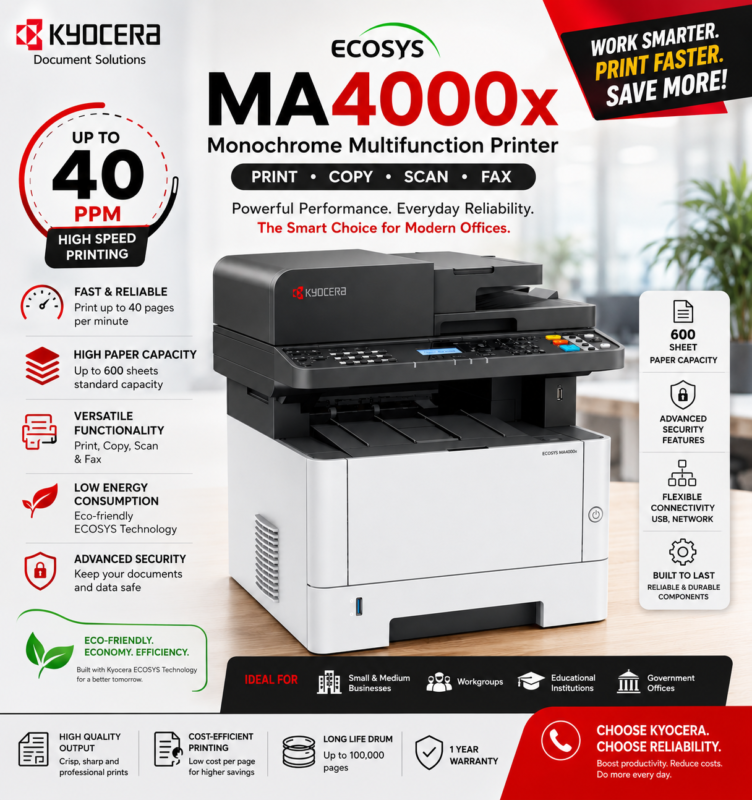
If you are searching for a Kyocera MA4000x printer in Bangalore for your office, company, institution, or business, the Kyocera ECOSYS MA4000x is a monochrome multifunction printer designed for productive business document workflows.
The Kyocera MA4000x combines printing, copying, scanning, and faxing capabilities in one device. With fast monochrome output, automatic duplex functionality, network connectivity, and business-oriented document handling, it can be a suitable solution for offices with regular black-and-white printing requirements.
At Digitech Imaging Solutions, we help businesses select printers and document solutions based on printing volume, required functions, connectivity, budget, and long-term operational requirements.
Customers who are ready to purchase printers, toner cartridges, consumables, and compatible products online can also explore Digitech Shop.
Kyocera MA4000x – Monochrome Multifunction Printer for Business
The Kyocera ECOSYS MA4000x is designed for organisations that require more than basic document printing.
By combining multiple document functions in one machine, businesses can handle everyday printing, copying, scanning, and fax workflows without depending on several separate devices.
Key Features of Kyocera MA4000x
- Monochrome laser multifunction printer
- Print, copy, scan, and fax
- Up to 40 pages per minute A4 printing
- Automatic duplex printing
- Network connectivity
- USB connectivity
- Automatic document processing
- Business-oriented scanning capabilities
- Compact multifunction design
- Suitable for workgroups and offices
- ECOSYS technology
- Designed for productive document workflows
Kyocera MA4000X Specifications
| Specification | Kyocera MA4000X Details |
|---|---|
| Machine Type | A4 monochrome multifunction laser printer |
| Functions | Print, copy and scan; optional fax |
| Print Speed | Up to 40 ppm |
| First Print Time | Approximately 6.4 seconds or less |
| Print Quality | Up to Fine 1200 |
| Copy Resolution | 600 × 600 dpi |
| Memory | 2 GB |
| Document Feeder | 50-sheet one-pass duplex document processor |
| Standard Paper Input | 250-sheet cassette and 100-sheet multipurpose tray |
| Maximum Paper Capacity | Up to 850 sheets with optional feeders |
| Output Capacity | Up to 150 sheets |
| Duplex Printing | Standard |
| Connectivity | USB 2.0, USB host and Gigabit Ethernet |
| Mobile Printing | AirPrint, Mopria, KYOCERA Mobile Print and MyPanel |
| Dimensions | Approximately 417 × 412 × 437 mm |
| Weight | Approximately 19 kg, excluding toner |
Kyocera MA4000X Toner and Running Efficiency
The Kyocera MA4000X is designed for businesses that require dependable monochrome output and manageable operating costs.
Depending on the market, compatible toner options may include the TK-1275 with an ISO-rated yield of approximately 7,200 pages and the TK-1285 with an ISO-rated yield of approximately 12,000 pages. The starter toner is listed with a capacity of approximately 3,600 pages.
Actual toner yield will vary according to page coverage, print settings, job type, environmental conditions and maintenance practices. Businesses should always verify the locally supplied toner model before ordering consumables because regional specifications can differ.
Automatic duplex printing, EcoPrint settings and blank-page skipping provide additional opportunities to control paper and toner usage.
Why Choose Kyocera MA4000x for Your Office?
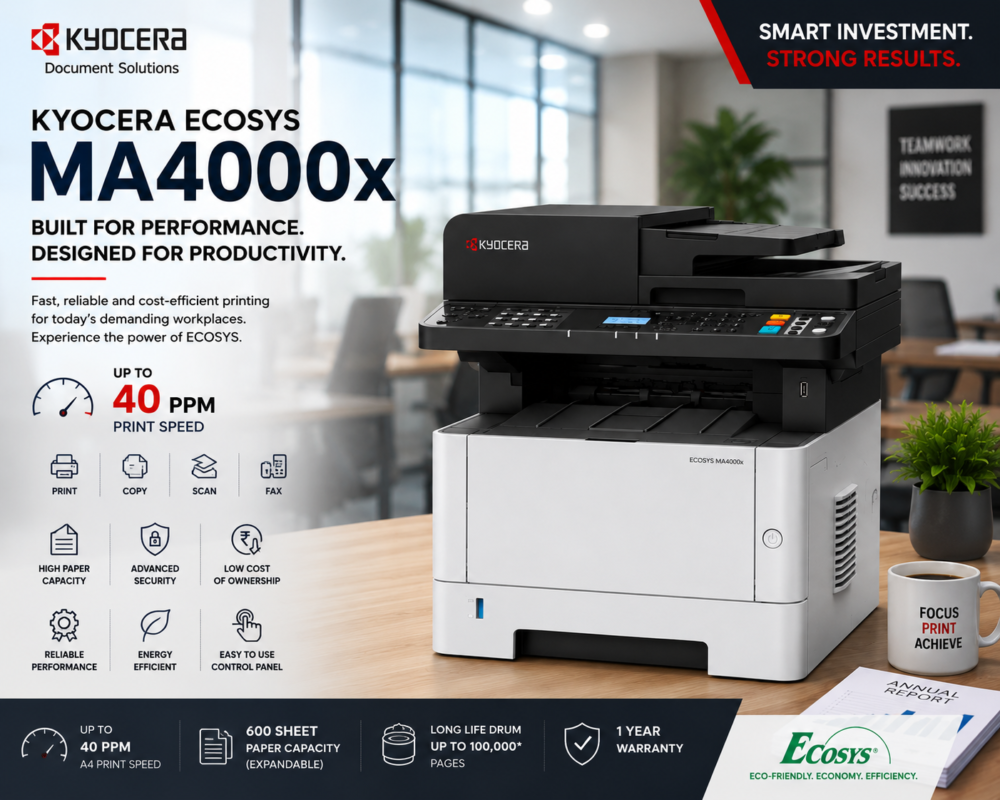
Office printing requirements are different from occasional home printing. Businesses may need to process invoices, reports, quotations, purchase orders, contracts, forms, customer records, and other documents throughout the working day.
The Kyocera MA4000x is designed to support these types of business workflows.
It can be considered for:
- Corporate offices
- Small and medium businesses
- Schools and educational institutions
- Accounting departments
- Administrative departments
- Retail businesses
- Warehouses
- Clinics and professional offices
- Government offices
- Workgroups with regular document requirements
Print speed can be an important consideration for offices where multiple employees regularly use the same printer.
The Kyocera MA4000x offers printing at speeds of up to 40 ppm on A4, helping businesses process larger document jobs more efficiently than slower entry-level printers.
Kyocera MA4000x Multifunction Capabilities
One of the main advantages of choosing the MA4000x is its multifunction design.
Produce professional monochrome office documents for everyday business requirements.
Copy
Create copies without requiring a separate photocopier for routine document tasks.
Scan
Digitise business documents and incorporate them into electronic workflows.
Fax
Fax functionality can support organisations that continue to use traditional document communication.
This makes the MA4000x particularly useful for organisations looking to consolidate several everyday document functions into one machine.
Kyocera MA4000x Printer in Bangalore
Before choosing an office printer, evaluate:
- Expected monthly printing volume
- Print speed
- Required paper capacity
- Duplex printing requirements
- Scanning volume
- Network requirements
- Toner availability
- Cost per page
- Maintenance requirements
- Warranty
- Local service availability
Buy Kyocera MA4000x Online
If you have already identified the Kyocera MA4000x as the right printer for your business, visitors with purchase intent should be directed to Digitech Shop.
Kyocera MA4000x for Small & Medium Businesses
Small and medium businesses often require a printer that can handle several tasks without occupying excessive office space.
The MA4000x can support common requirements such as:
- Printing invoices
- Copying business documents
- Scanning contracts
- Producing reports
- Printing purchase orders
- Scanning customer documents
- Printing quotations
- Creating administrative documents
Its multifunction capabilities can therefore simplify everyday document management.
Kyocera MA4000X Benefits for Businesses
The Kyocera MA4000X offers several valuable business benefits:
- Faster document processing: A speed of up to 40 ppm helps teams complete large print jobs efficiently.
- Reduced paper consumption: Automatic duplex printing allows two-sided document production.
- Efficient digital workflows: Users can scan files directly to email, USB, FTP or network folders.
- Space-saving installation: Its compact dimensions suit small and medium-sized workplaces.
- Expandable capacity: Optional paper feeders support growing printing requirements.
- Mobile accessibility: Supported mobile-printing services make printing from compatible devices easier.
- Professional output: High-resolution printing produces sharp text and detailed business documents.
- Centralised functionality: Printing, copying and scanning are combined in one machine.
Why Choose Digitech Imaging Solutions?
Selecting a business printer involves more than comparing product prices.
Digitech Imaging Solutions can assist customers with:
- Printer selection
- Kyocera printer requirements
- Multifunction printer solutions
- Photocopier requirements
- Printer rental
- Photocopier rental
- AMC and maintenance
- Business printing solutions
- Printer consumables
- Office document solutions
Customers looking for an online purchase can then be directed to Digitech Shop for available printers, toners, accessories, and related products.
Why Buy the Kyocera MA4000X From Digitech Imaging Solutions?
Digitech Imaging Solutions provides printer sales, installation assistance, maintenance support and office-printing solutions in Bangalore. Customers can receive guidance in selecting a machine according to their printing volume, paper-handling requirements and budget.
Contact Digitech Imaging Solutions today to check the latest Kyocera MA4000X price, availability and service options.
Kyocera MA4000x Frequently Asked Questions
Kyocera MA4000x a multifunction printer?
Yes. The Kyocera ECOSYS MA4000x combines printing, copying, scanning, and faxing functions.
What is the Kyocera MA4000x print speed?
The Kyocera MA4000x can print at speeds of up to 40 pages per minute on A4, according to its rated specifications.
Kyocera MA4000x support duplex printing?
Yes. Automatic duplex functionality enables convenient double-sided document printing.
Kyocera MA4000x suitable for business use?
Yes. Its print speed, multifunction capabilities, networking, scanning, and duplex functionality make it suitable for many office and business environments.
Call Now: 98800 77523
Looking for the Kyocera MA4000X? Digitech Imaging Solutions provides printer sales, professional installation, AMC plans, maintenance support, and complete office-printing solutions.
Contact us today for the latest Kyocera MA4000X price, availability, and service options. Our experts will help you choose the right printer based on your workload, paper requirements, and budget.