
Introduction: When Your Office Printer Becomes a Daily Problem
In Bengaluru’s fast-moving business environment, time is money.
Deadlines are tight. Clients expect perfection. And yet, many offices still struggle every day with slow printers, faded colour prints, paper jams, and frequent breakdowns.
If this sounds familiar, you’re not alone.
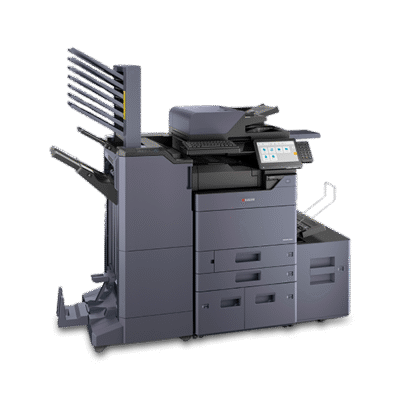
That’s exactly why many Bengaluru businesses are upgrading to the Kyocera Taskalfa 2554ci Multifunction Printer—a machine designed not just to print, but to support your team, protect your workflow, and reduce stress.
This is not a flashy gadget.
This is a workhorse for serious offices.
Why Kyocera Taskalfa 2554ci Is Perfect for Bengaluru Offices
Bengaluru offices operate long hours. Printers here don’t get “rest days.”
They need to be strong, consistent, and economical.
The Kyocera Taskalfa 2554ci Multifunction Printer in Bengaluru is built exactly for that reality.
What It Does Best:
Handles daily high-volume printing smoothly
Produces professional-quality colour output
Saves electricity and long-term running costs
Simplifies scanning and document sharing
Key Features That Truly Matter
Speed That Keeps Teams Moving
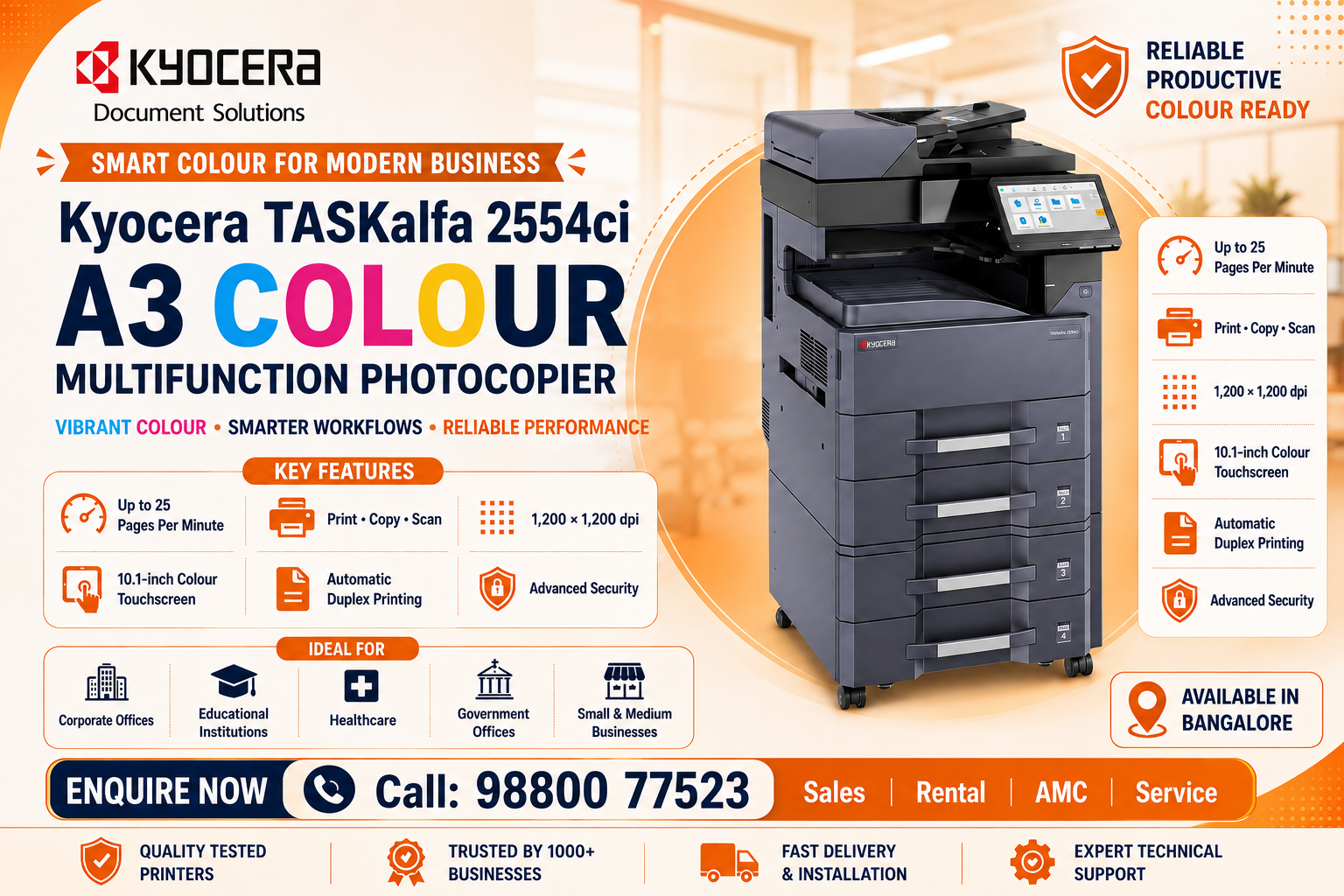
With 25 pages per minute, meetings don’t get delayed and staff don’t wait around the printer.
Sharp, Professional Colour Quality
Its 1200 × 1200 dpi resolution ensures presentations, proposals, and reports look impressive every time.
Sharp, Professional Colour Quality
Its 1200 × 1200 dpi resolution ensures presentations, proposals, and reports look impressive every time.
Smart Network Colour Scanning
Scan documents directly to:
Email
Network folders
Pen drives
This makes it a powerful network colour scanner and copier for modern offices.
Duplex & RADF – Less Effort, More Output
Automatic duplex printing and RADF save:
Paper
Time
Manual effort
Built to Last – Low Maintenance Stress
With a drum life of up to 2 lakh copies, Kyocera reduces breakdowns and service calls—something every Bengaluru business appreciates.
Technical Specifications (Quick Overview)
Print Speed: 25 CPM (Colour & B/W)
Functions: Print | Copy | Scan
Paper Sizes: A3, A4, A5, Legal
Paper Trays:
500 sheets × 2
100-sheet bypass tray
Zoom Range: 25% – 400%
Copy Quantity: 1–999
Duplex Printing: Yes
RADF: Yes
Drum Life: Up to 2,00,000 copies
Memory: 4GB RAM
Storage: 32GB SSD + 250GB HDD
Display: Colour Touch Panel
Power Consumption: Approx. 500W
GST: Extra as applicable
Real Bengaluru Business Use Cases
Corporate Offices & IT Companies
Daily reports, contracts, HR documents
Fast network scanning across departments
CA Firms & Accounting Offices
Bulk invoice copying
Scan-to-folder for digital compliance records
Educational Institutions
A3 colour charts and study materials
Consistent performance during exam seasons
Marketing & Design Agencies
Clean, accurate colour prints
Professional in-house output
Emotional Benefits You’ll Actually Feel
✔ Fewer printer complaints from staff
✔ Less downtime during peak office hours
✔ More professional-looking documents
✔ Lower stress for admin and IT teams pulvinar dapibus leo.
Sometimes, the right printer quietly makes everything easier.
Pros & Cons (Honest View)
Pros
Reliable A3 colour multifunction printer
Excellent colour and text clarity
Strong scanning and networking features
Long-lasting components
Ideal for continuous office usage
Cons
Not designed for home or very small offices
Initial investment higher than basic printers
FAQs – Answering What Bengaluru Buyers Ask Most
1. Is Kyocera Taskalfa 2554ci good for Bengaluru offices?
Yes. It’s built for high-usage office environments, making it perfect for Bengaluru businesses.
2. Does it support scan to email and folder?
Yes. It supports scan to email, folder, and USB, ideal for digital workflows.
3. What is the running cost of Kyocera Taskalfa 2554ci?
Running costs are low due to long drum life and energy-efficient design.
4. Can it handle A3 colour printing?
Absolutely. It supports A3, A4, A5, and Legal paper sizes.
5. Is service available in Bengaluru?
Yes. Local office printer services in Bengaluru ensure quick support and maintenance.
Final Thoughts: A Printer That Works as Hard as Your Team
Digitech Imaging solutions:
Contact Number: 91 9880007525
Email: info@digitechimagingsolutions.com
Bengaluru businesses don’t slow down—and neither should their printers.
Looking for the best price, installation, or service support in Bengaluru?
Contact us today and let your office print smarter, faster, and stress-free.