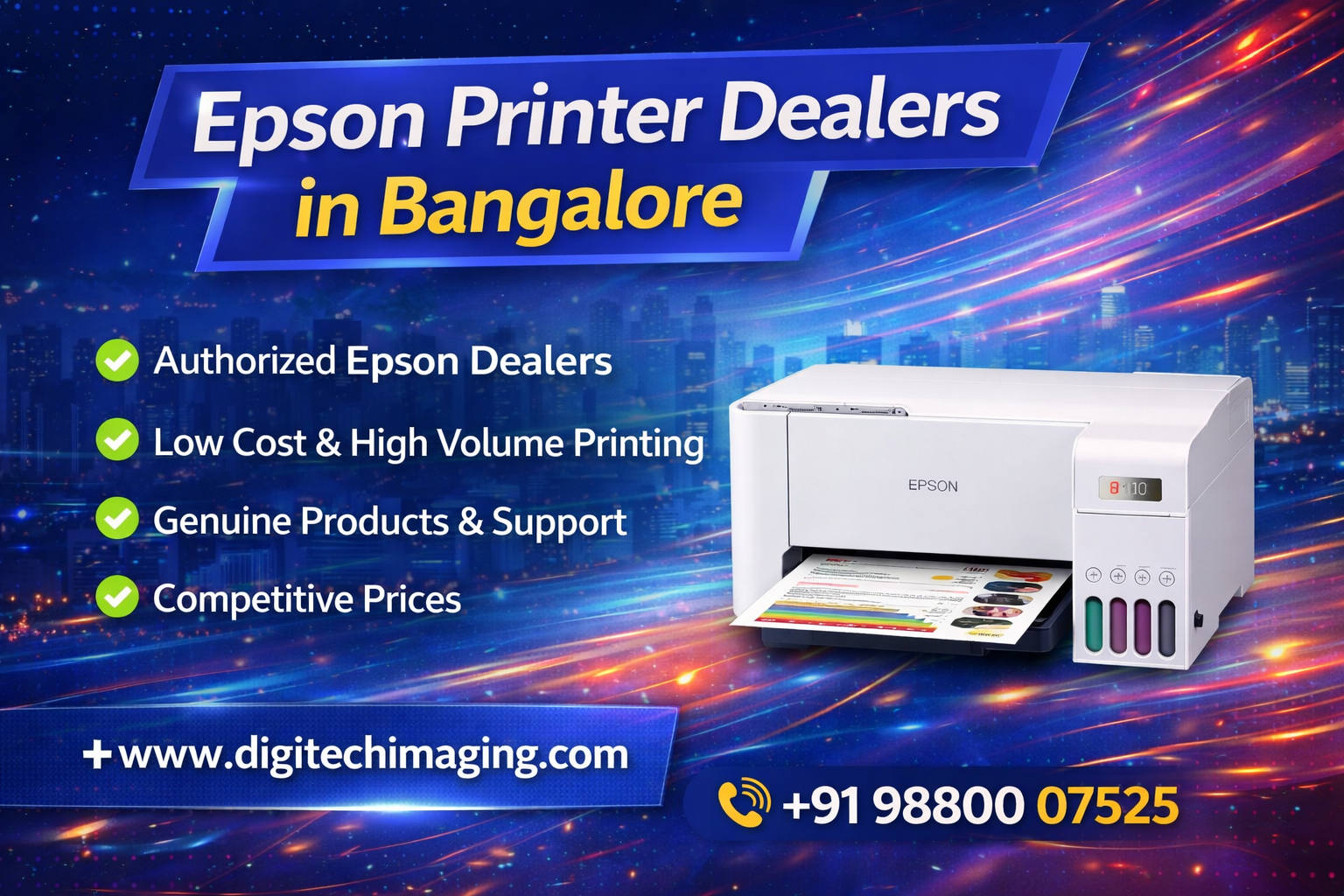

Epson EcoTank L3560 A4 Wi-Fi All-in-One Ink Tank Printer – Best Printer in Bangalore
Why Consider the Epson EcoTank L3560 in Bangalore?
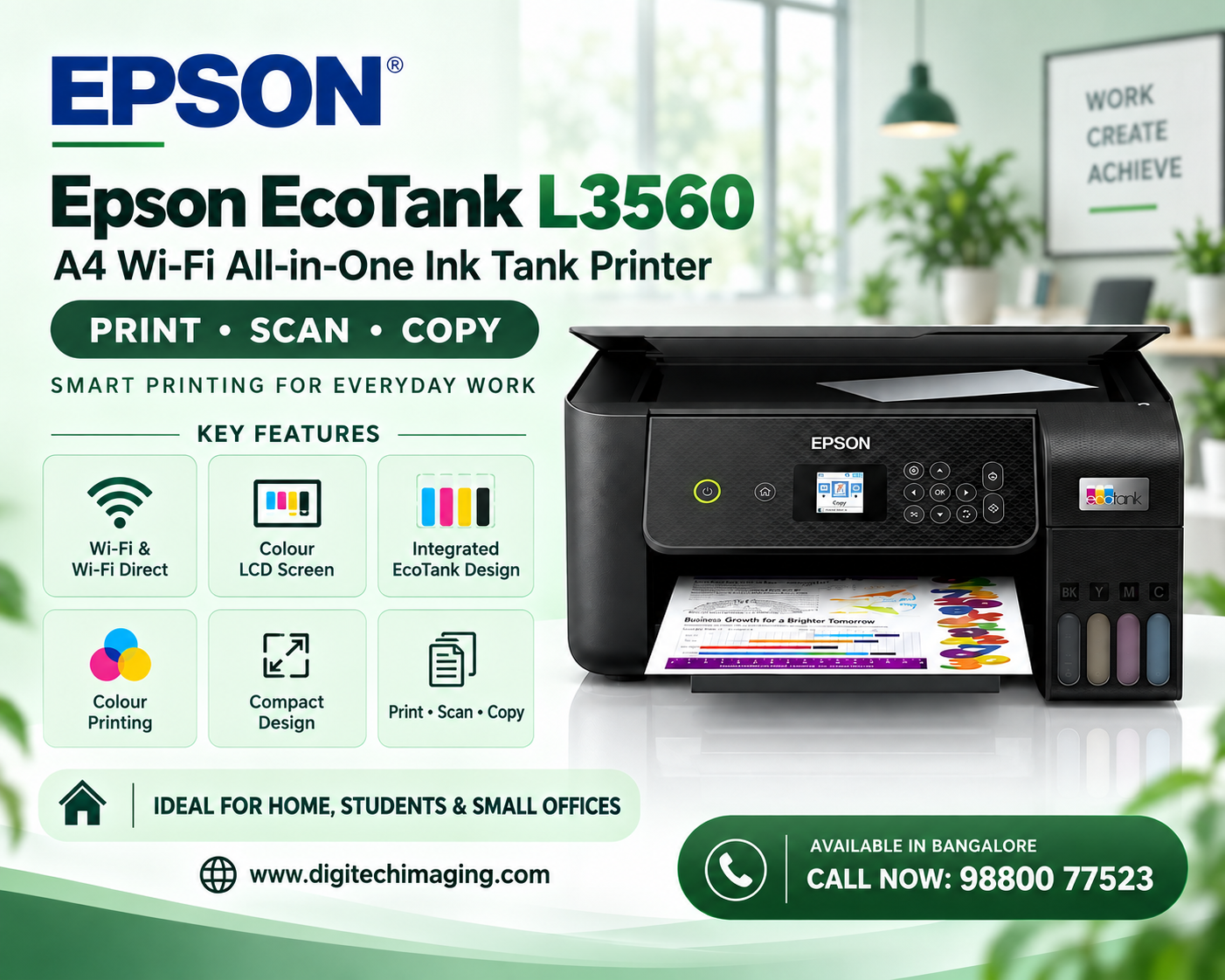
The L3560 brings several everyday office functions into a single compact device. Instead of using separate machines for printing, scanning and copying, users can handle all three tasks from one printer.
Its wireless connectivity is particularly useful for homes and offices where documents are created across laptops, desktop computers, smartphones and tablets.
Epson also positions the L3560 as an office EcoTank model in its current Indian colour EcoTank range.
For businesses, the refillable EcoTank system is another important consideration. It eliminates conventional ink cartridges and uses individual high-capacity ink bottles instead.
Epson L3560 Key Features
- A4 colour all-in-one ink tank printer
- Print, scan and copy
- Wi-Fi and Wi-Fi Direct
- Epson Smart Panel support
- Epson iPrint and Email Print
- LCD screen
- 100-sheet rear paper tray
- Borderless photo printing up to 4R
- Epson Heat-Free Technology
- User-replaceable maintenance box
- Epson T00V / 003 ink bottles
- Flatbed CIS colour scanner
- Up to 5,760 × 1,440 dpi maximum print resolution
- No automatic duplex printing
Print, Scan and Copy in One Printer
One of the strongest practical advantages of the Epson L3560 is its multifunction design.
You can use the same machine to print business documents, scan paperwork and make copies. This makes it suitable for home offices, students and small organisations that do not want to maintain separate printers and scanners.
Typical uses can include invoices, quotations, school assignments, reports, forms, colour charts, presentations and other A4 documents.
The L3560 is an A4 printer, so businesses requiring A3 printing should compare it with an A3-capable model instead.
Fast Printing for Everyday Work
Print speed can have a significant impact when a printer is used regularly.
Epson’s detailed specifications currently list ISO A4 simplex speeds of up to 20.0 ipm for black and 8.0 ipm for colour, while draft printing is rated at up to 33 ppm black and 15 ppm colour. First-page-out time is approximately 10 seconds for black and 16 seconds for colour.
These figures should be considered according to the relevant test method; real-world speed varies with document complexity, settings, connectivity and other conditions.
For normal home and small-office workloads, the combination provides a useful balance between colour capability and document productivity.
High-Resolution Colour Printing
The Epson L3560 supports a maximum print resolution of up to 5,760 × 1,440 dpi according to Epson’s detailed specifications.
This makes the printer useful for documents that combine text, graphics and colour.
Businesses can use colour printing for charts, reports, educational material and selected customer-facing documents. Students can use it for projects, diagrams and assignments.
However, users primarily looking for professional photographic output should compare dedicated photo-printer models rather than choosing an office all-in-one based solely on resolution.
Borderless Photo Printing up to 4R
The L3560 isn’t limited to ordinary office documents.
Epson specifies borderless photo printing up to 4R (10 × 15 cm).
This provides additional flexibility for users who occasionally want to produce small photos alongside their regular document printing.
For professional photographers requiring larger borderless prints or specialised six-colour photo output, a dedicated Epson photo printer such as the L8050 may be more appropriate.
EcoTank Ink System
The refillable EcoTank system is one of the most recognisable features of Epson’s ink tank printer range.
Instead of replacing small conventional cartridges, users refill separate ink tanks using compatible ink bottles. The L3560 has an integrated tank design intended to keep the overall machine compact.
Epson also highlights spill-free and error-free refilling through its bottle-nozzle design.
For users who print regularly, this design can make ongoing ink management more convenient.
Epson T00V / 003 Ink for the L3560
The L3560 uses Epson’s T00V ink series, sold as 003 ink bottles in India. Epson currently identifies T00V Black, Cyan, Magenta and Yellow as compatible with the L3560.
Epson lists replacement-bottle yields of approximately 4,500 pages for black and 7,500 pages composite colour, subject to its specified testing methodology and actual usage conditions.
Actual ink consumption depends on page coverage, cleaning cycles, print settings, document type and other usage factors.
Wi-Fi Connectivity for Home and Office
The L3560 includes Wi-Fi connectivity, making it useful in environments where users want to print without keeping a computer permanently connected by USB.
Once the printer is configured on a supported wireless network, compatible devices can access it according to the network setup.
This can be particularly convenient in a small office where several users need access to the same printer.
For home users, wireless printing also provides greater flexibility when the printer is positioned away from the main computer.
Epson Smart Panel for Mobile Control
The Epson Smart Panel app adds another level of convenience for compatible smartphones and tablets.
According to Epson, Smart Panel can be used to perform functions including printing, copying, scanning, Wi-Fi setup and troubleshooting from a supported mobile device.
This can be useful for users who increasingly receive documents through mobile applications, email or cloud-based workflows.
Instead of depending entirely on a desktop computer, compatible tasks can be managed from a mobile device.
Epson Connect Features
The L3560 also supports Epson Connect functionality.
Epson currently lists Epson iPrint, Epson Email Print and Remote Print Driver for the model.
Epson iPrint allows supported mobile devices to print and scan, while Email Print and Remote Print Driver provide additional remote-printing possibilities.
Availability and functionality can depend on the device, operating system, network and service configuration.
Copying for Everyday Requirements
The copy function provides a simple way to duplicate documents without first scanning them to a computer.
This is useful for small businesses producing copies of invoices, forms, receipts and administrative paperwork.
Students and home users can similarly copy notes, educational material and personal documents.
Combining printing, scanning and copying in a single machine can also save desk space compared with maintaining separate devices.
100-Sheet Rear Paper Tray
Epson specifies a 100-sheet rear paper tray for the L3560.
This capacity is appropriate for routine home and small-office printing, although actual paper loading should always follow the limits for the specific media type and weight being used.
Businesses with substantially larger workloads may want to compare printers with higher-capacity input trays or additional paper-handling features.
Important: No Automatic Duplex Printing
This is an important point to understand before purchasing the L3560.
The Epson L3560 does not include automatic two-sided printing according to Epson India’s detailed specifications.
If automatic duplex printing is essential for your business, consider another model that explicitly includes automatic duplex functionality.
This is particularly important for offices regularly producing long reports, manuals or other two-sided documents.
Epson Heat-Free Technology
The L3560 uses Epson’s Heat-Free Technology.
Epson states that its PrecisionCore Heat-Free Technology is designed to reduce energy consumption and the need for replacement parts compared with heat-dependent printing processes.
The printhead is also pre-installed, helping simplify the initial setup process.
For businesses evaluating printers for frequent everyday use, maintenance requirements and energy consumption can be useful factors to consider alongside the purchase price.
Who Should Buy the Epson L3560?
The Epson L3560 can be considered by home users, students, teachers, home offices, small businesses, retail shops and professionals who need regular A4 colour printing together with scanning and copying.
It is particularly relevant for users who value Wi-Fi, Wi-Fi Direct, refillable ink tanks and mobile printing.
The decision should still be based on workflow. If automatic duplex or an ADF is essential, another printer may fit better. If you need A3 output, you should choose an A3 model. For specialist photography, consider a dedicated photo printer.
Epson L3560 for Students
Students increasingly need both printed and digital documents.
The L3560 can print assignments, project work, notes, charts and colour educational material. Its flatbed scanner can also help digitise handwritten work and reference documents.
Wi-Fi connectivity is useful in households where school or college work is prepared on different devices.
The refillable ink system can also be practical for families with regular printing requirements.
Epson L3560 for Small Offices
A small office may need to print quotations in the morning, scan signed paperwork during the day and make copies of forms later.
The all-in-one design makes these tasks possible from a single machine.
Wireless connectivity can also reduce dependence on one dedicated computer, while mobile-printing options provide additional flexibility.
Businesses should consider whether the 100-sheet paper tray and flatbed-only scanning setup are sufficient for their expected workload.
Epson L3560 for Shops and Small Businesses
Retail stores and small businesses can use the printer for invoices, product information, price sheets, reports, forms and internal paperwork.
Colour output can be useful when documents include charts, logos or graphics.
The machine is particularly suited to businesses that primarily work with A4 documents and do not require the larger paper capacity of a commercial office copier.
Where to Buy Epson EcoTank L3560 in Bangalore
Customers searching for the L3560 in Bengaluru should compare the current product price, warranty terms, genuine ink availability, delivery and after-sales support before purchasing.
For your Digitech website, create a clear internal path from this blog to the relevant product and service pages:
Frequently Asked Questions About Epson L3560
Is Epson L3560 an all-in-one printer?
Yes. The L3560 provides print, scan and copy functionality in a single A4 EcoTank machine.
Does Epson L3560 have Wi-Fi?
Yes. It supports both Wi-Fi and Wi-Fi Direct connectivity.
Can I connect my phone directly to the printer?
Epson states that Wi-Fi Direct can connect up to eight compatible devices without a router, and the printer also supports Epson Smart Panel for supported mobile devices.
Which ink does Epson L3560 use?
The printer uses Epson T00V / 003 Black, Cyan, Magenta and Yellow ink bottles.
Does Epson L3560 support automatic duplex printing?
No. Epson’s specifications list automatic two-sided printing as unavailable on this model.
Does the L3560 have an ADF?
The model uses a flatbed CIS scanner and Epson’s specifications do not list an automatic document feeder.
Can the L3560 print borderless photos?
Yes. Epson specifies borderless photo printing up to 4R size.
What is the print speed of the Epson L3560?
Epson’s detailed ISO specifications list up to 20.0 ipm black and 8.0 ipm colour for A4 simplex printing; draft speeds are listed at up to 33 ppm black and 15 ppm colour.
Is Epson L3560 suitable for office use?
Epson categorises the L3560 within the office section of its current Indian colour EcoTank range. Whether it suits a particular office depends on print volume and whether features such as an ADF or automatic duplex are required.
Epson EcoTank L3560 – A Strong Printer Option in Bangalore
For customers searching for an Epson EcoTank L3560 best printer in Bangalore, the model offers a useful combination of print, scan and copy functions, refillable EcoTank technology, Wi-Fi, Wi-Fi Direct, mobile printing and borderless 4R photo capability.
Its strengths are particularly relevant to homes, students, home offices and small businesses that regularly print A4 documents and want wireless connectivity.
At the same time, buyers should remember two important limitations: the L3560 does not provide automatic duplex printing or an ADF.
Call Now: 98800 07523
Are you looking for an Epson EcoTank L3560 printer in Bangalore?
Epson EcoTank L3560 printer in Bangalore from Digitech Imaging Solutions with guidance to help you choose the right printer for your home or office. Contact our team for the latest price, stock availability, warranty information and installation assistance. Get your questions answered about setup, maintenance and ink refills before purchasing.